Project Context
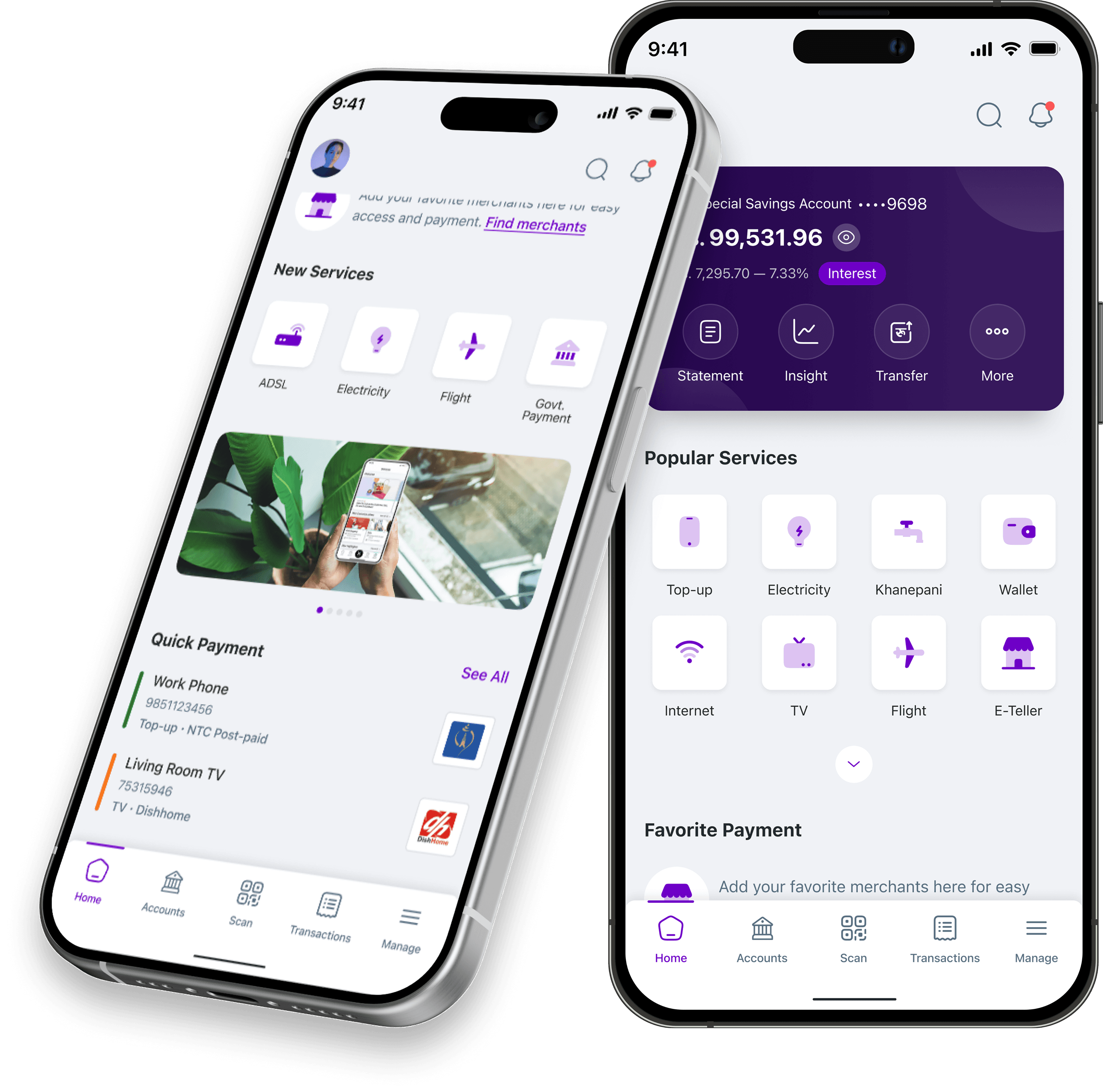
In today's rapidly evolving digital economy, access to fast, transparent, and frictionless payment tools is vital. Ru-Pay was conceptualized to bridge the gap between traditional banking infrastructure and everyday mobile users across urban and semi-urban communities. The platform consolidates mobile recharges, instant QR payments, government taxes, utility bills, and personal wallet management into a single intuitive mobile application.
Problem Statement
Existing payment solutions in the market suffered from cluttered user interfaces, multi-step transaction drop-offs, hidden fee structures, and poor visual feedback during checkout. Users frequently struggled with slow QR scanner loading times, confusing error messages during failed transactions, and an absence of automated utility bill reminders.
Target Audience
Tech-Savvy Youth & Students
Requires instant P2P transfers, split-bill features, and fast QR payments at cafes and campus retail stores.
Working Professionals
Needs automated recurring utility bill payments, salary wallet deposits, and exportable monthly expense statements.
Local Merchants & Retailers
Demands instant audio/visual payment confirmation, zero merchant friction, and clear daily reconciliation dashboards.
User Personas
Sujata Parajuli
Corporate Marketing Executive (Age: 27)
Kathmandu, Nepal
Frustrations & Pain Points
- Complex multi-step processes to pay monthly internet and electricity bills.
- Lacks visibility into where monthly spending goes across different payment channels.
- Anxious about app crashes during high-volume merchant payments.
Goals & Needs
- One-tap Scan & Pay with instant visual payment confirmation receipts.
- Automated utility bill reminders with saved customer IDs.
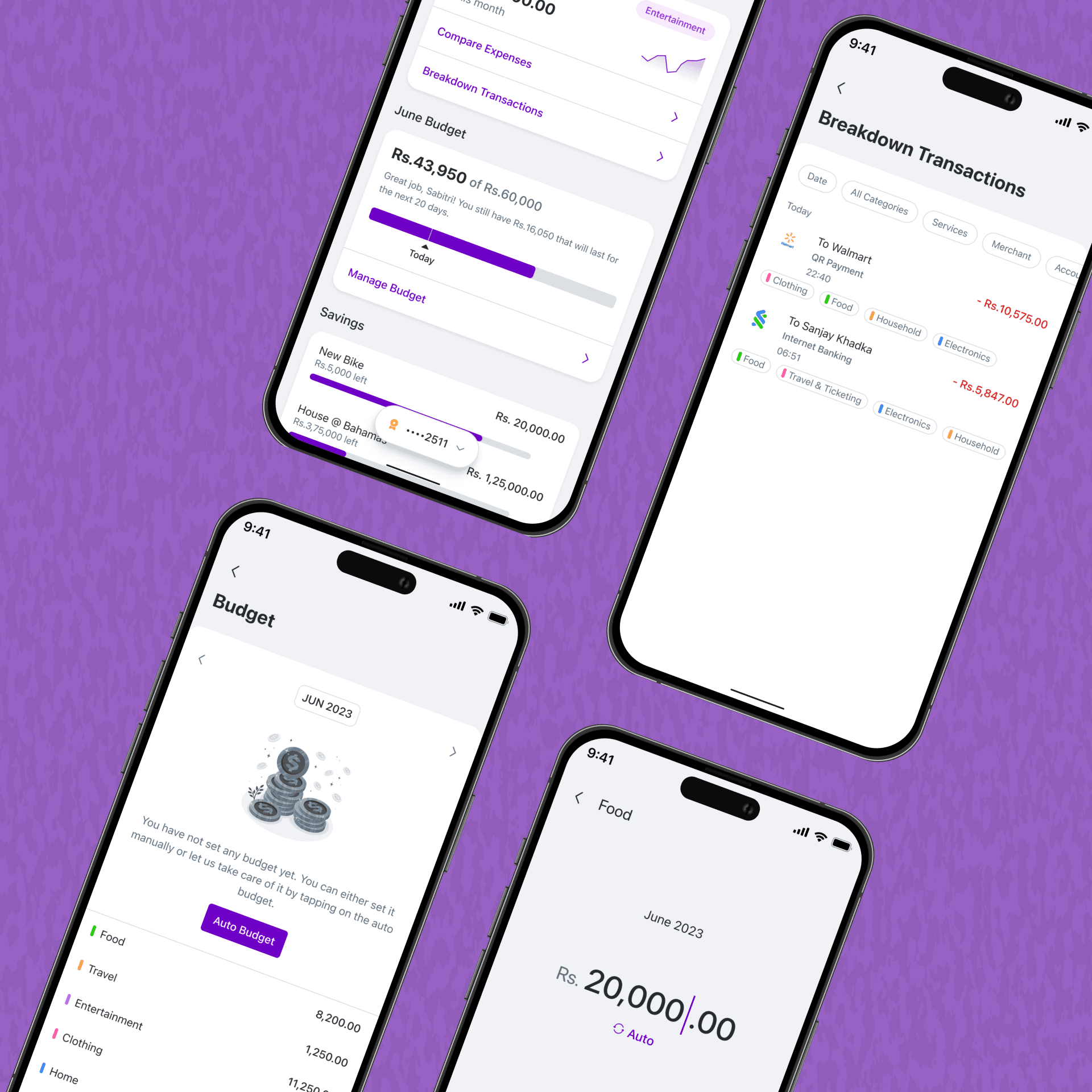
- Categorized expense summaries for personal budgeting.
Rohan Karki
University Student & Freelancer (Age: 22)
Lalitpur, Nepal
Frustrations & Pain Points
- High friction when splitting meal expenses with friends.
- Sluggish camera initialization when scanning merchant QR codes.
- Unclear transaction status when money is deducted during network lag.
Goals & Needs
- Lightning-fast QR camera launch directly from the home screen.
- Instant push notifications with haptic feedback upon payment completion.
- Biometric MPIN authorization for rapid security verification.
Design Process
Empathize
User interviews, competitive analysis of top wallet apps, & qualitative surveys.
Define
Problem mapping, user personas creation, & core user flow definition.
Ideate
Information architecture, feature prioritization, & napkin sketching.
Prototype
Low-fidelity wireframing, high-fidelity UI design, & interactive Figma prototyping.
Test
Usability testing sessions, micro-interaction refinements, & accessibility validation.
Information Architecture
Design System
Color Palette
Typography
High-Fidelity Mobile App UI
Results & Key Takeaways
Faster Payments
Reduced step count from 5 to 3 screens during QR payments, dramatically boosting checkout conversion.
Utility Adoption
Categorized utility bill layout increased bill payment retention month-over-month.
Usability Score
Tested with 15 users across 3 iterations, receiving exceptional feedback for interface clarity and visual hierarchy.